Morrisson
1 seat €39
Single payment, taxes not included.
- Runs natively on macOS, Windows and Linux
- Markdown editor and frontmatter forms
- Publishing with preflight checks, no terminal needed
- Access and updates for life
- macOS
- Windows
- Linux

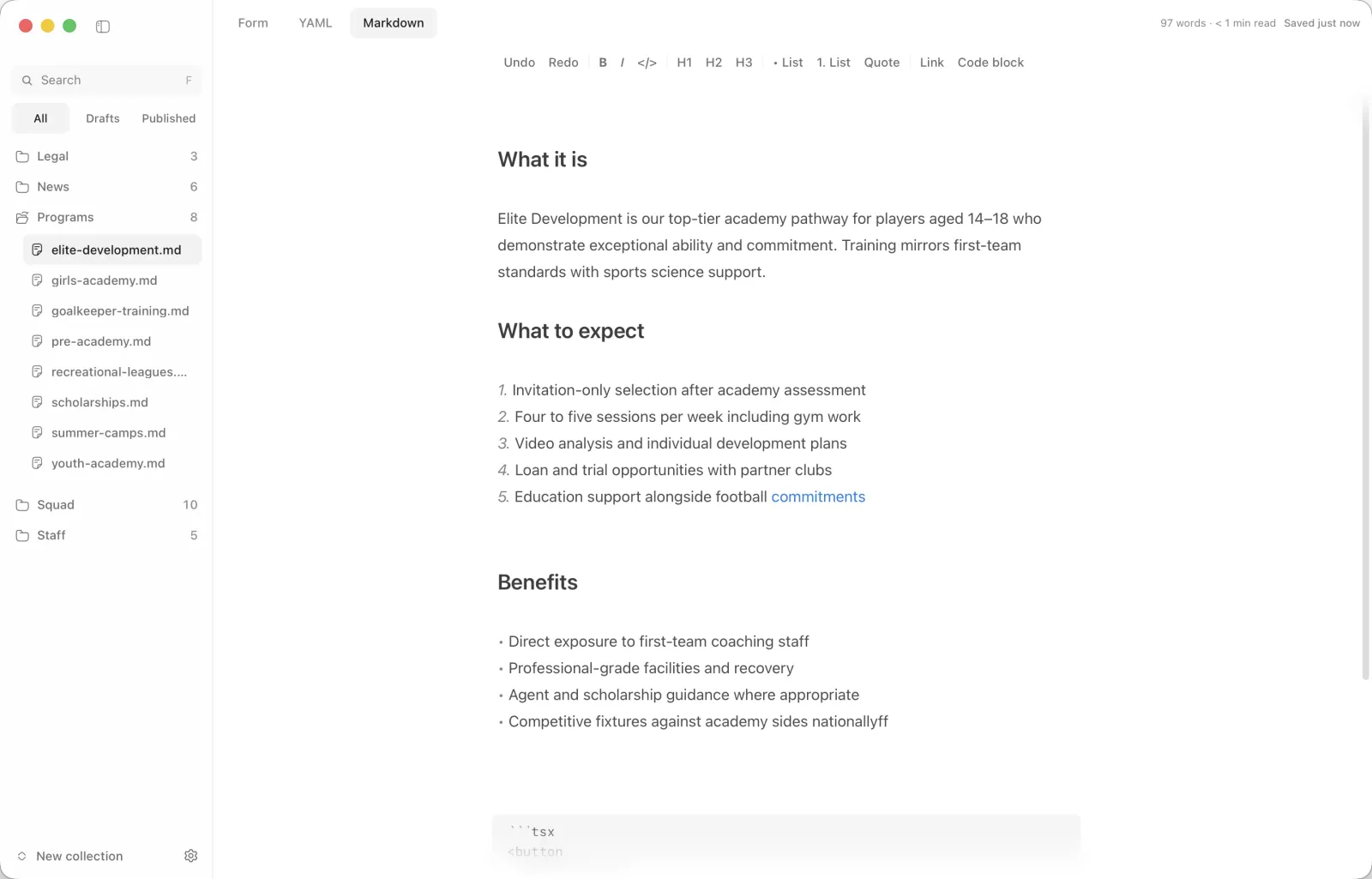
A desktop editor for macOS, Windows and Linux with frontmatter forms, Markdown, autosave and publishing that works with Git. A small native app (~15 MB).
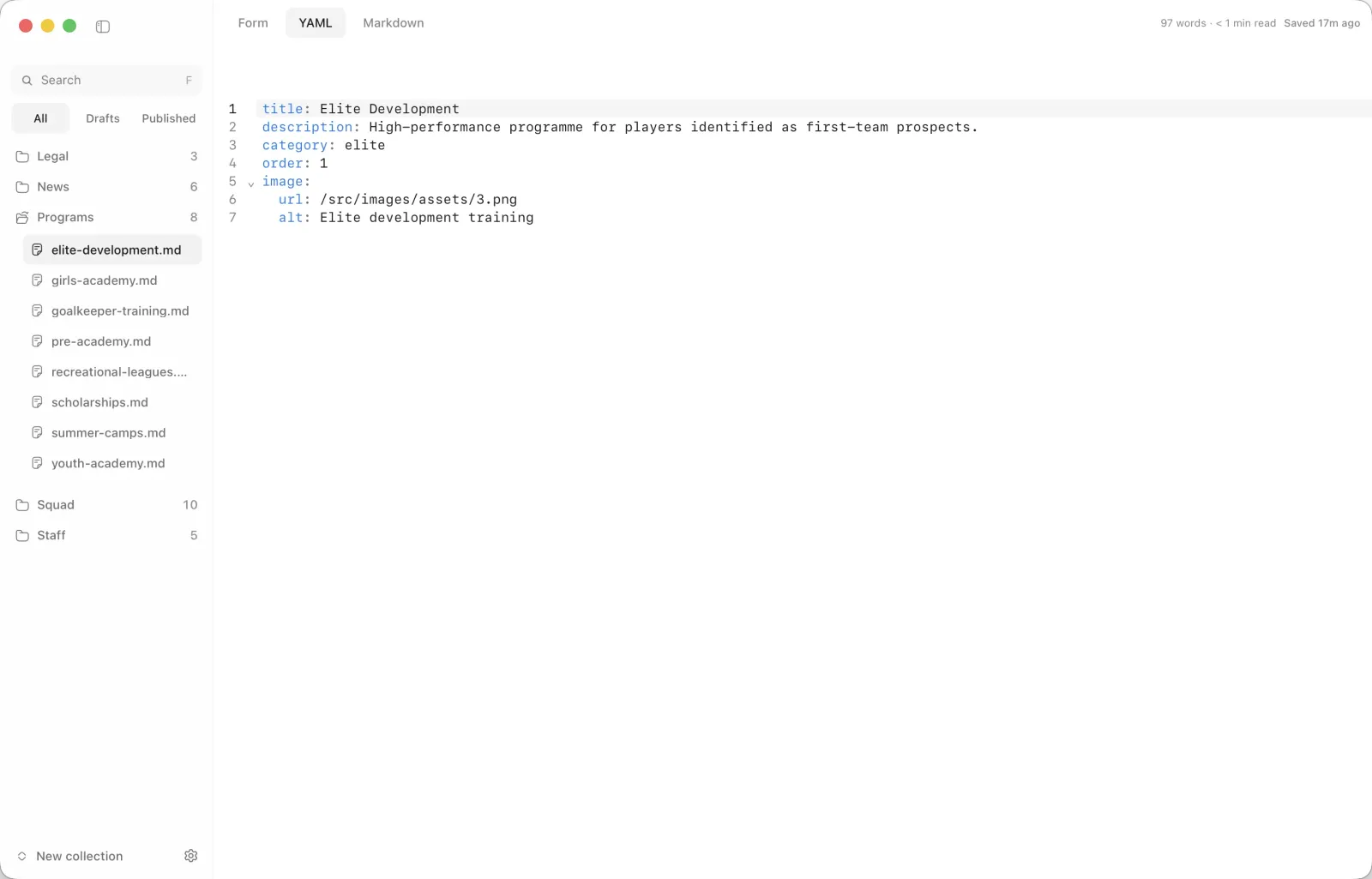
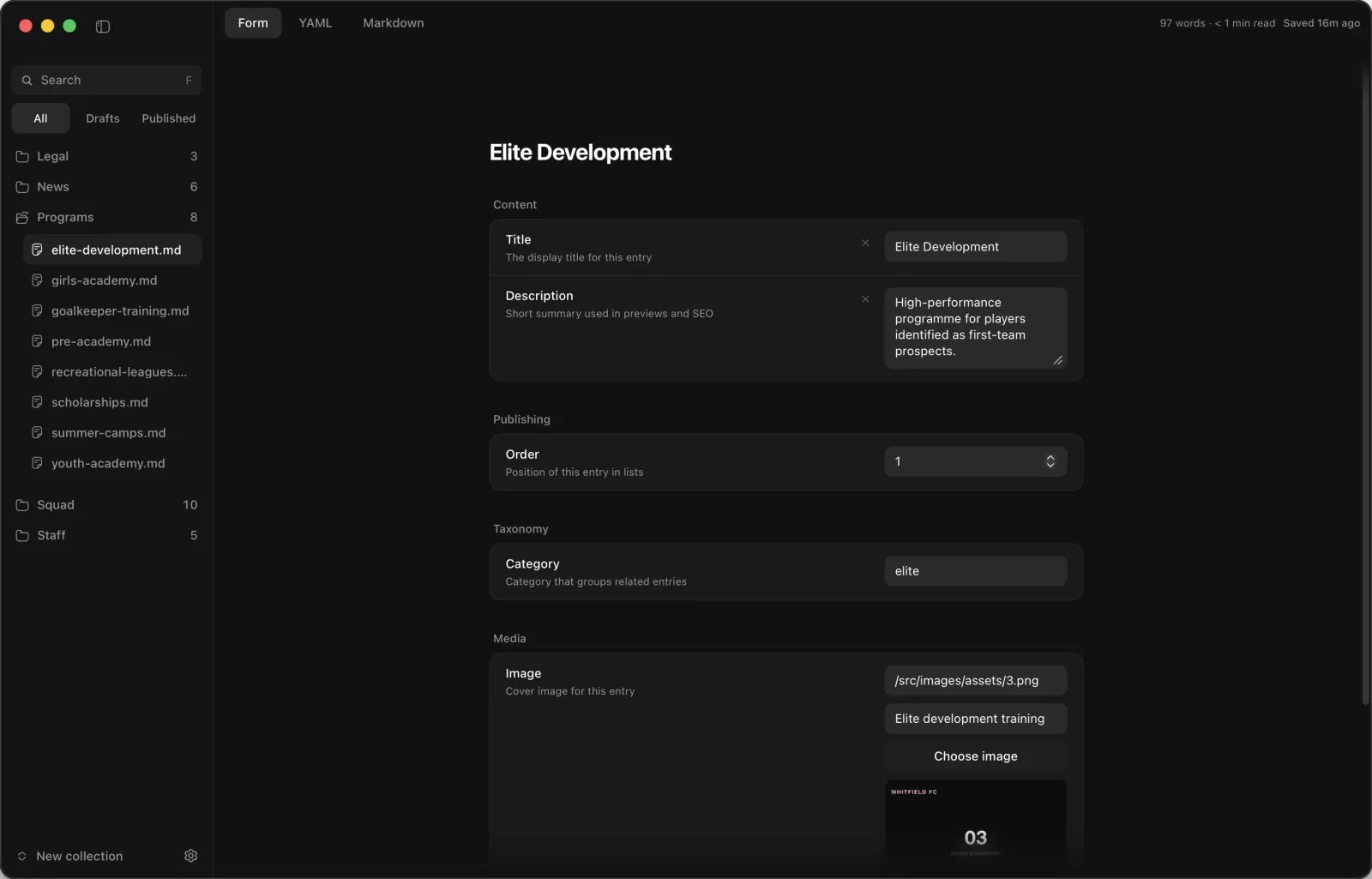
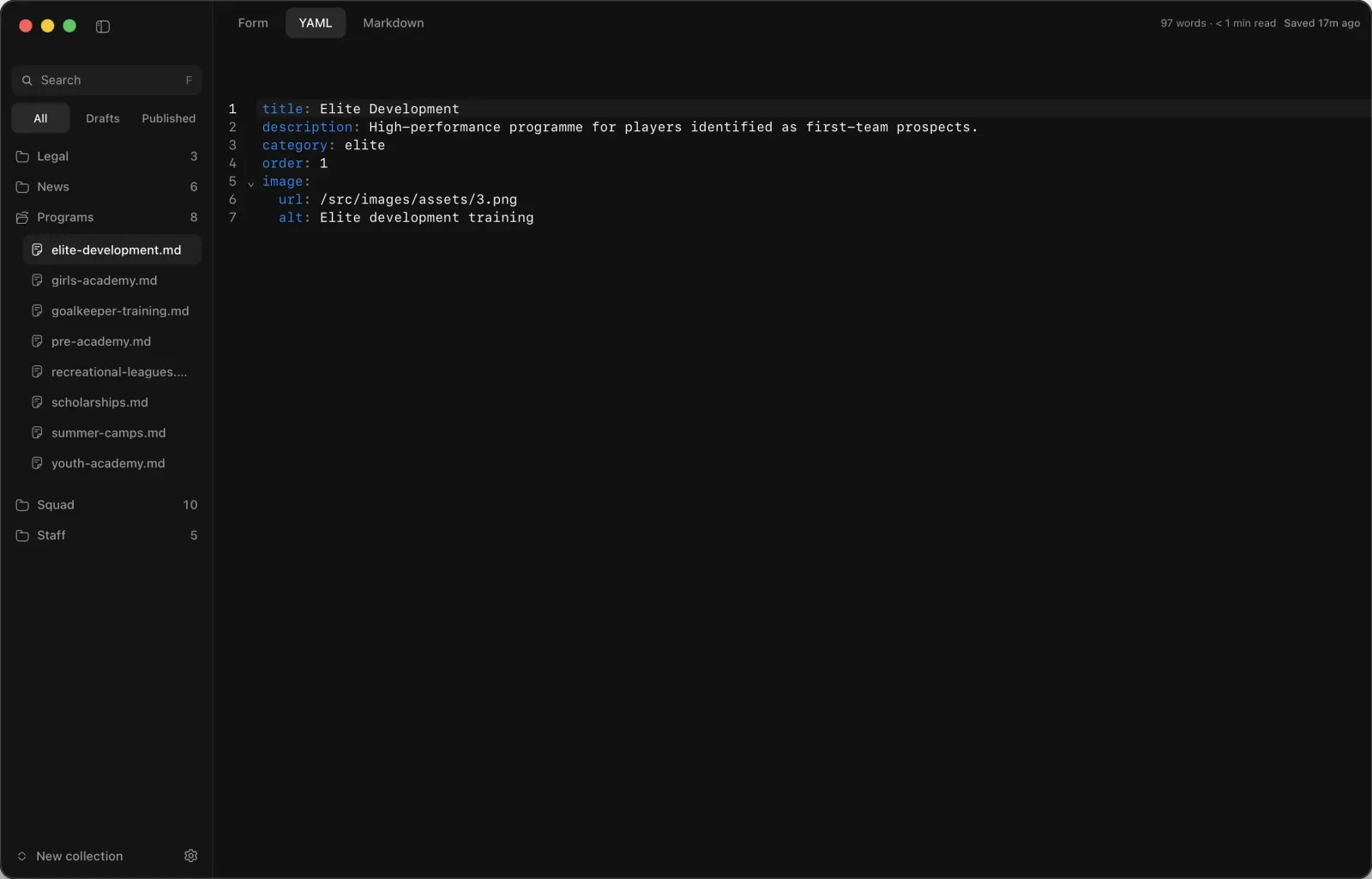
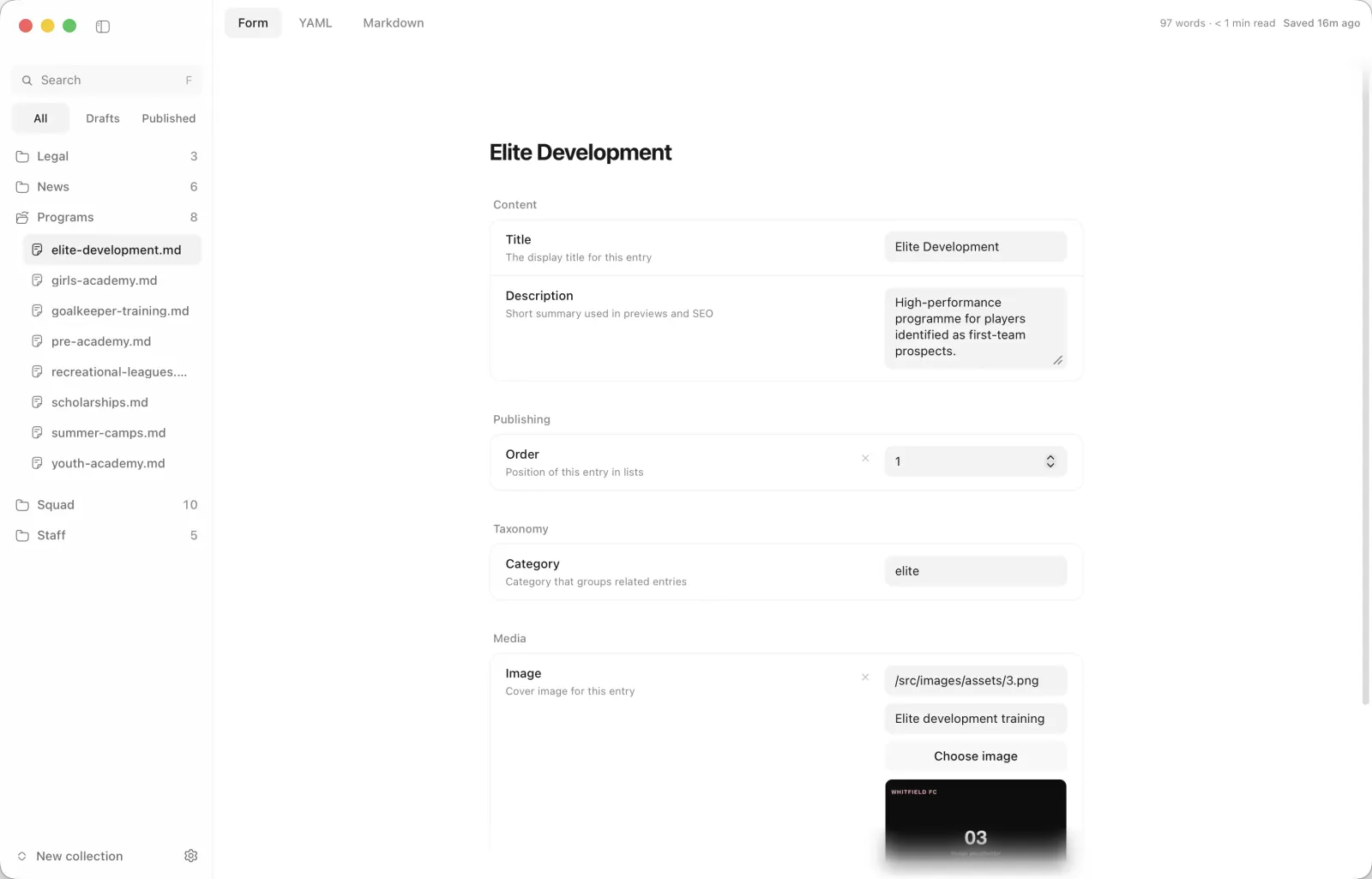
Change frontmatter through simple fields instead of editing YAML by hand, and switch to raw YAML when you need full control.
Guided inputs for structured fields, Markdown for the body, and YAML for advanced edits, all in the same entry.
Handle content files right from the sidebar. Create entries, rename files, send deletions to the Trash and go back in time with history for each file.
Changes are saved in the background with a clear status. Required checks run before you publish, and publishing suggests a message and a file list. Problems show up as plain-language notifications.
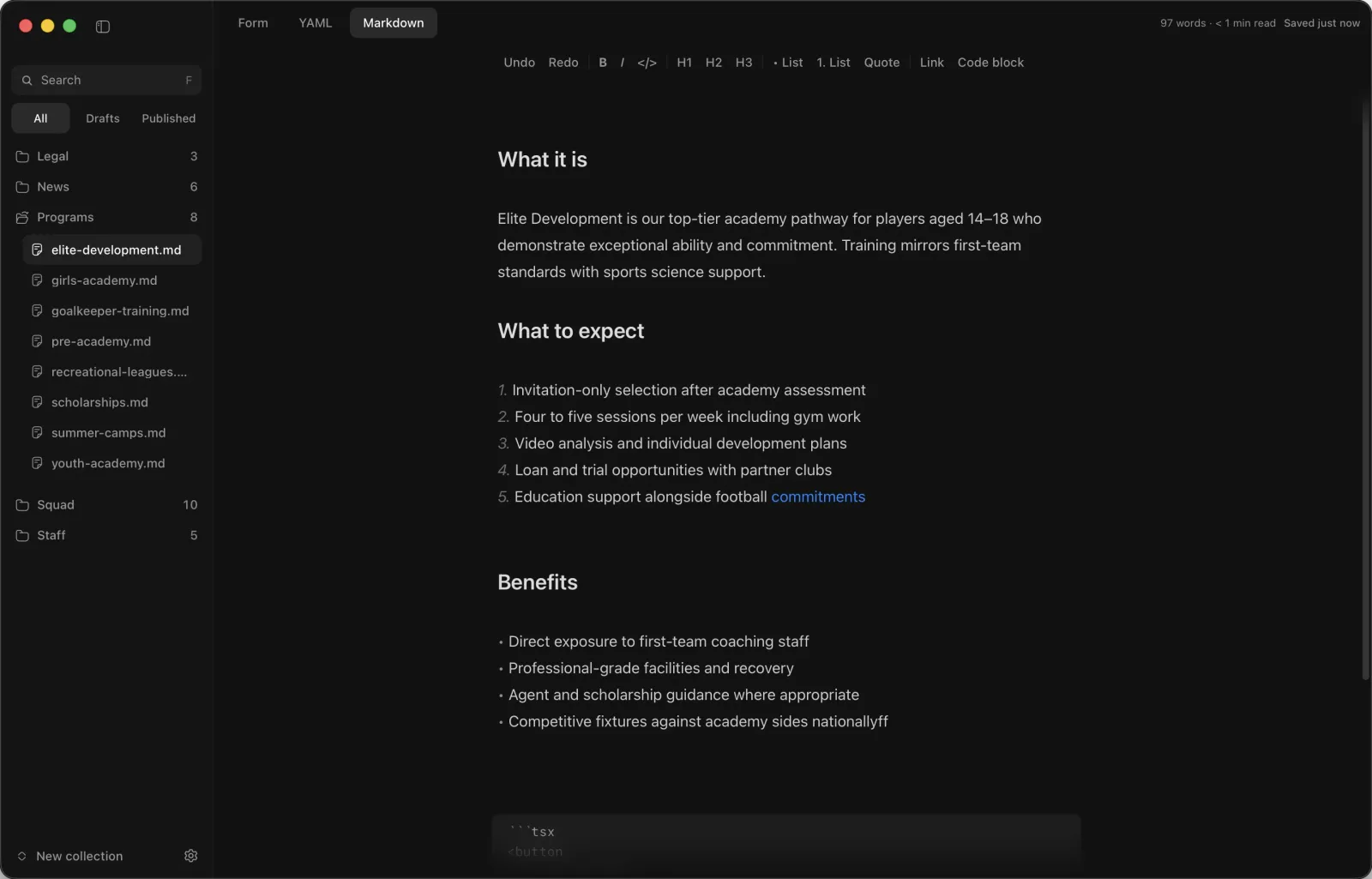
Pick light, dark or system appearance to match your setup, or to rest your eyes when editing late at night.
Continue where you stopped, close dialogs fast, and get the local preview running even if node_modules is missing.
Single payment, taxes not included.
Payments handled securely by Stripe
VisaAmexMastercardApple PayGoogle Pay
A desktop editor for Astro content. Frontmatter becomes forms instead of YAML you edit by hand, there's a Markdown editor with image drag-and-drop, autosave and file history, and publishing runs a preflight check so you never need the terminal. Native app for macOS, Windows and Linux, around 15 MB. View Morrisson
It's made for Astro content collections, meaning Markdown entries with frontmatter. The forms read your collection schema, so strings, dates, booleans and nested objects get the right inputs, and missing required fields are flagged before publishing. Publishing uses Git, so it suits projects already in a repository.
There's no subscription. You pay once and get a licence key, whether you bought Morrisson by itself or with Studio or Agency. Enter the key in the app. The licence covers one person on up to two computers at the same time, and updates are included.
From the Morrisson page: the .dmg for macOS (Apple Silicon), the .exe for Windows or the .AppImage for Linux. Then Morrisson looks for updates every time it opens and installs them in one click.
Install it on the new computer and enter your key. If both slots are in use, Morrisson shows a Manage devices button that opens your customer portal, where you can remove the old one.